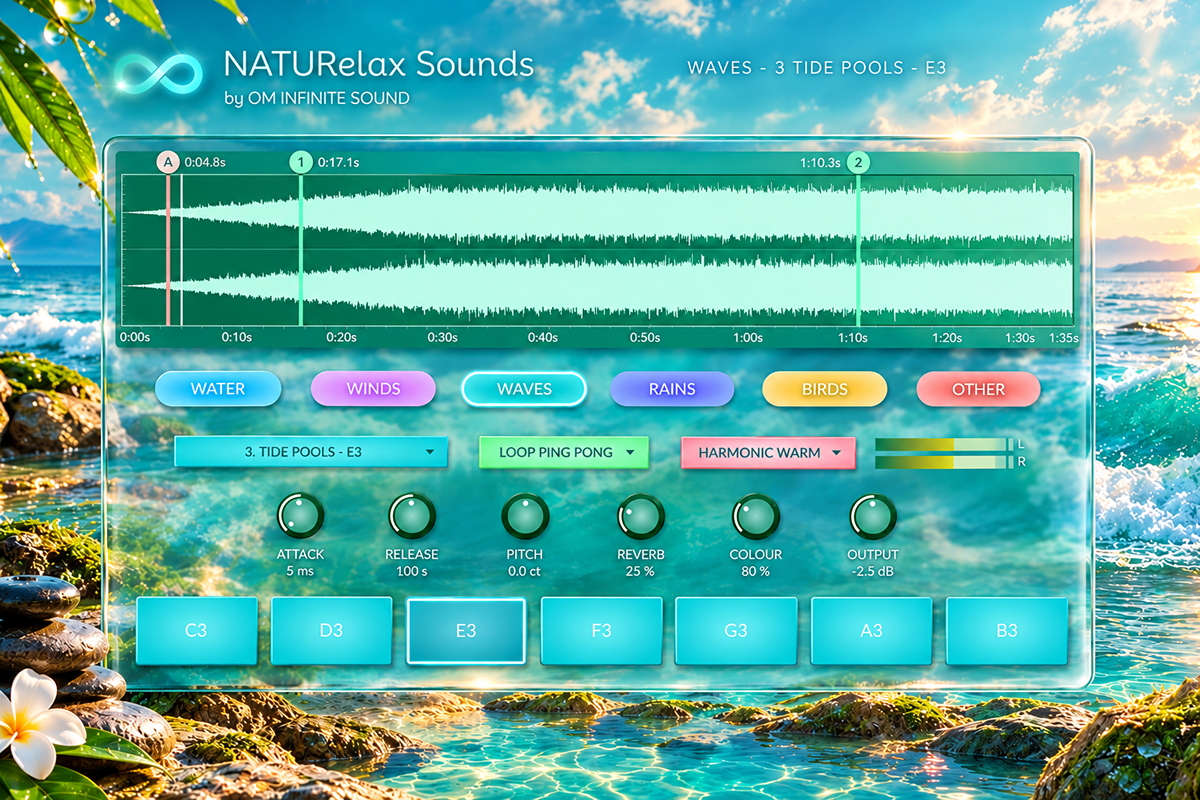
A nature ambience instrument. Six categories of recordings - water, wind,
waves, rain, birds and more - each with seven sounds, one on every pad. Play them from
the pads, the computer keyboard or any MIDI controller, loop them without a seam, and
shape them with an ambient reverb and four analogue colours. Every sound is yours to
replace: the plugin reads its library straight from a folder on your disk.
VST3 InstrumentWindows / macOS6 Categories7 Pads Each
Seamless Loops4 Colour ModesYour Own SoundsResizable GUI
Built to stay out of the way. The recording always plays exactly as it was made.
Everything around it - envelope, reverb, colour and limiter - is there to place the
ambience in your mix, never to cover it. Tick TOOLTIPS in the plugin's header and every
control explains itself.
Six categories, seven sounds each
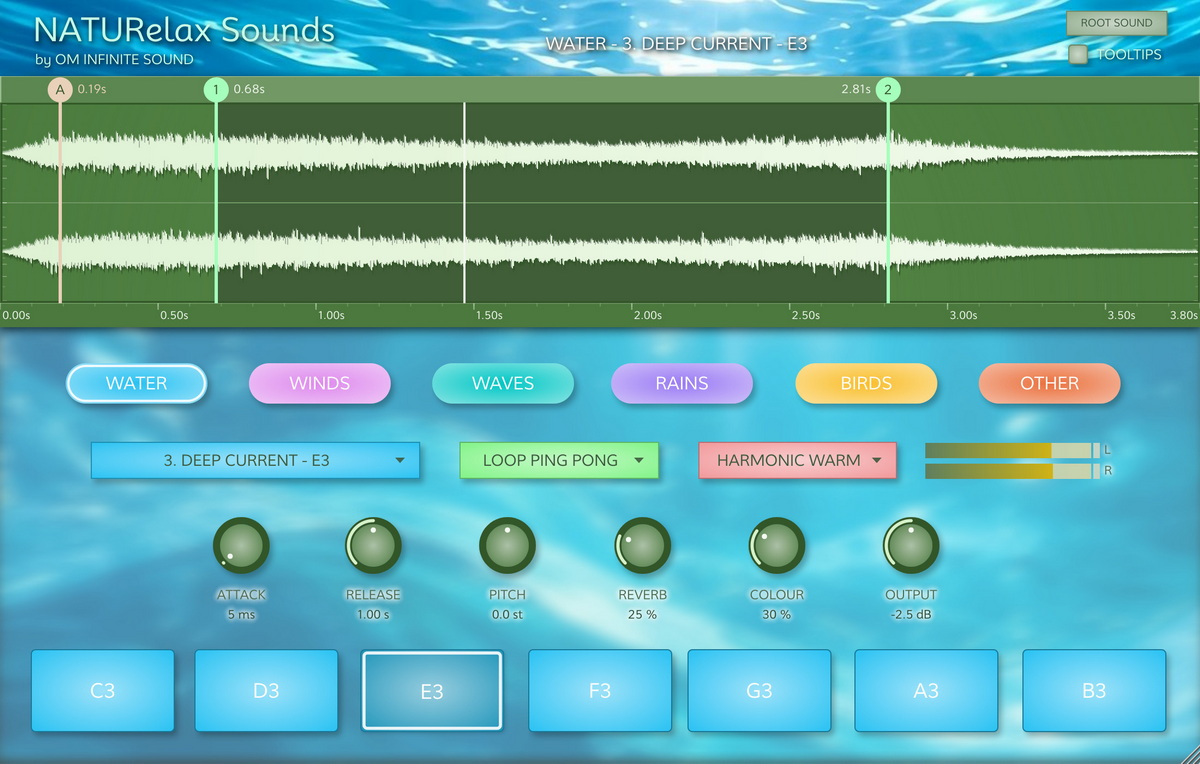
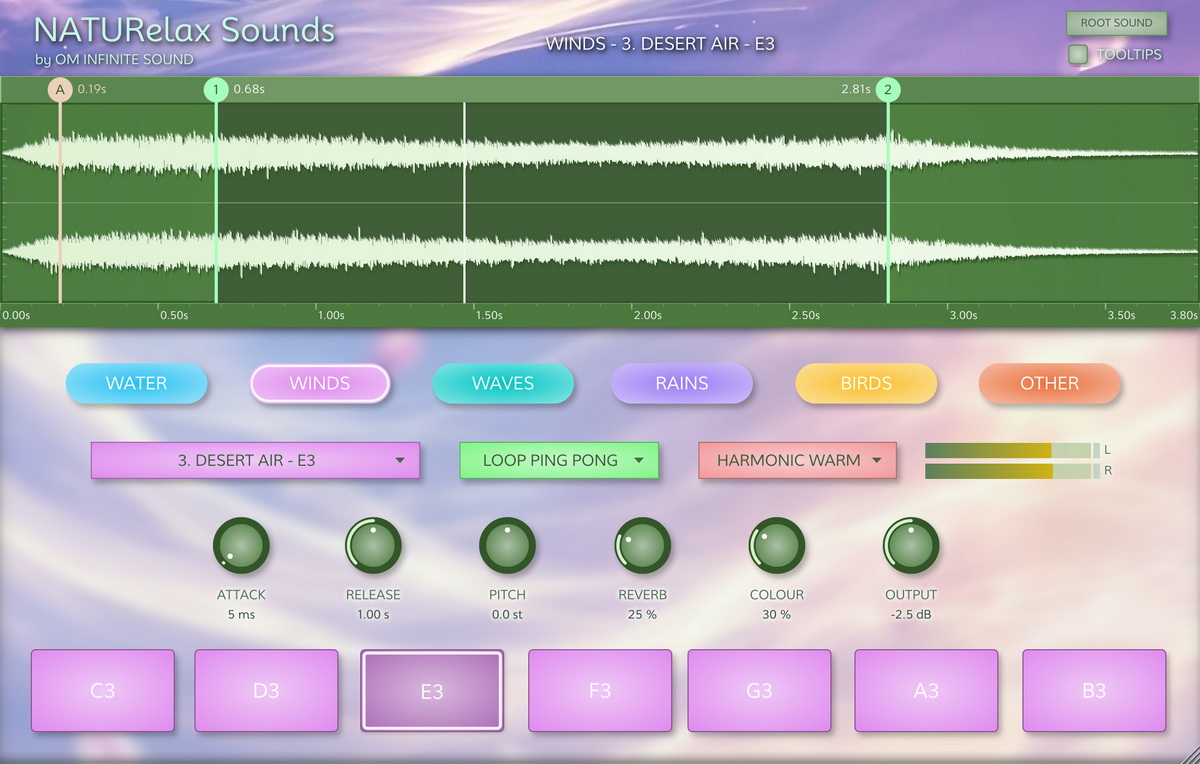
Each category button loads its seven sounds into the pads. The whole interface follows
the category you choose: the pads and the sound box take its colour and the background
changes to its own artwork. Pick one below to see it.
WINDSNATURelax Sounds/2. WINDS
Breezes, gusts and airy textures.
Three ways to play
Each pad holds a different sound of the current category. Hold a pad to play it;
release it and the sound fades out with the RELEASE knob. Several pads can sound at
once, so ambiences can be layered: a stream, a light wind and distant birds together.
Try it below with your mouse or keyboard.
Press A S D F G H J or 1 to 7.
Pad
Sound
Computer keyboard
MIDI note
C3
File 1
A or 1
C3 (60)
D3
File 2
S or 2
D3 (62)
E3
File 3
D or 3
E3 (64)
F3
File 4
F or 4
F3 (65)
G3
File 5
G or 5
G3 (67)
A3
File 6
H or 6
A3 (69)
B3
File 7
J or 7
B3 (71)
Every sound plays at the pitch it was recorded at. The PITCH knob transposes
whatever is playing.
MIDI velocity sets how loud each note plays; pads and computer keys always
play at full level. Notes outside C3 to B3 are ignored.
Up to 16 voices sound together. When all are busy, the oldest note fades out
in a few milliseconds to make room - no clicks.
Above the waveform, a line shows what's on display - for example
WATER - 1. CRYSTAL STREAM - C3. The sound box lists the category's seven
sounds: choose one to open it in the waveform display without playing it.
Your library, your sounds
NATURelax Sounds has no fixed sounds. Every pad plays whatever file is in its category
folder, and the name on screen is simply the file's name. Replace any sound with your
own recordings, rename them, decide which pad plays each one - no settings involved.
Prepare your recordings as WAV, AIFF, FLAC or MP3, mono or stereo, at any
sample rate.
Name each file with a number and a name, such as
1. Morning Creek.wav. The number picks the pad; the name is what the
plugin shows.
Copy them into a category folder, keeping no more than seven.
Open the plugin window or click that category. The new sounds load, each with
its own loop points.
The library is found on its own. Place the folder in Documents, Desktop, Music,
your home folder or the root of any drive. If it lives anywhere else, the plugin asks
once and remembers - and ROOT SOUND in the header points it at another library whenever
you like. Sounds are held in memory as 16-bit audio, about 10.6 MB per stereo minute,
whatever the bit depth of your files.
Loops without a seam
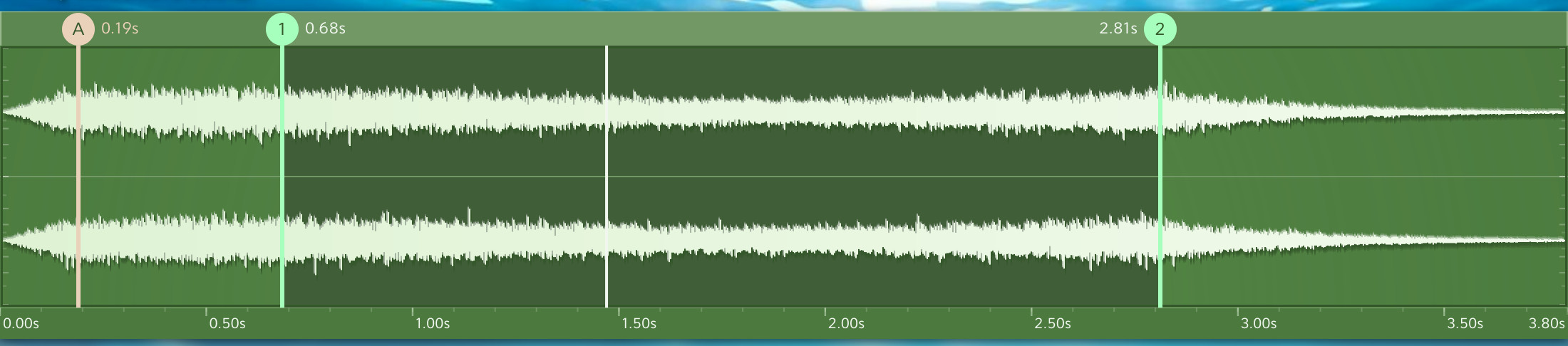
Markers above the waveform decide which part of a sound plays. Every pad keeps its own
markers, and every category keeps its pads' markers when you switch away and back. The
part that plays is shaded darker; drag any marker to move it, with times shown to a
tenth of a second on long files.
Marker
Visible when
Meaning
A
Always
Where the sound starts when a pad is pressed
B
Loop off
Where the sound stops
1
Loop on
Start of the loop region
2
Loop on
End of the loop region
Best Match places the loop for you. Switch a loop mode on and every pad gets loop
points where the waveform joins most smoothly, plus a short crossfade at the joint. Drag
markers 1 and 2 afterwards to fine-tune.
The waveform display: left channel above, right below, with discreet dB guides down each side.
See it in action
Shape the sound
Six knobs, each with its value underneath. Drag to change; double-click to return to
the default.
ATTACK 0 ms - 1.2 s, default 5 ms
How long the sound takes to fade in when a pad is pressed.
RELEASE 0 - 5 s, default 1 s
How long the sound takes to fade out after a pad is released.
PITCH -24 to +24 semitones, default 0
Transposes the sound; it also changes its speed and body, as the recording plays faster or slower.
REVERB 0 - 100 %, default 0 %
Adds a large, ambient space behind the sound, without processing the recording.
COLOUR 0 - 100 %, default 30 %
How much of the colour mode chosen in the box beside it is applied.
OUTPUT up to +3.5 dB, default -2.5 dB
Final level of the plugin, shown on the L and R meters.
Four colour modes
HARMONIC WARM
Soft, gently asymmetric saturation that thickens and warms any sound.
TUBE EMULATION
Tube-style clipping with more drive, for density and analogue grit.
GLOW PRESENCE
Lifts presence and air and adds new shimmer to the highs - lovely on water and rain.
TAPE EMULATION
Wow, flutter and soft magnetic saturation for movement and vintage softness.
Output
Always-on limiter
Catches any peak before it can clip your mix. A small red tab on the meters lights up
when it works; click the meters to reset it.
Specifications
Format
VST3 instrument, plus standalone app
Platforms
Windows 10 / 11 64-bit; macOS 10.13 or later, Universal (Apple Silicon and Intel)